Default Texts
Here you can configure the default texts that apply across all domains. These texts include all content that does not depend on cookies or other dynamic elements.
This includes, for example, the main text on the welcome banner or the button labels. Changes must be made separately for each language used.
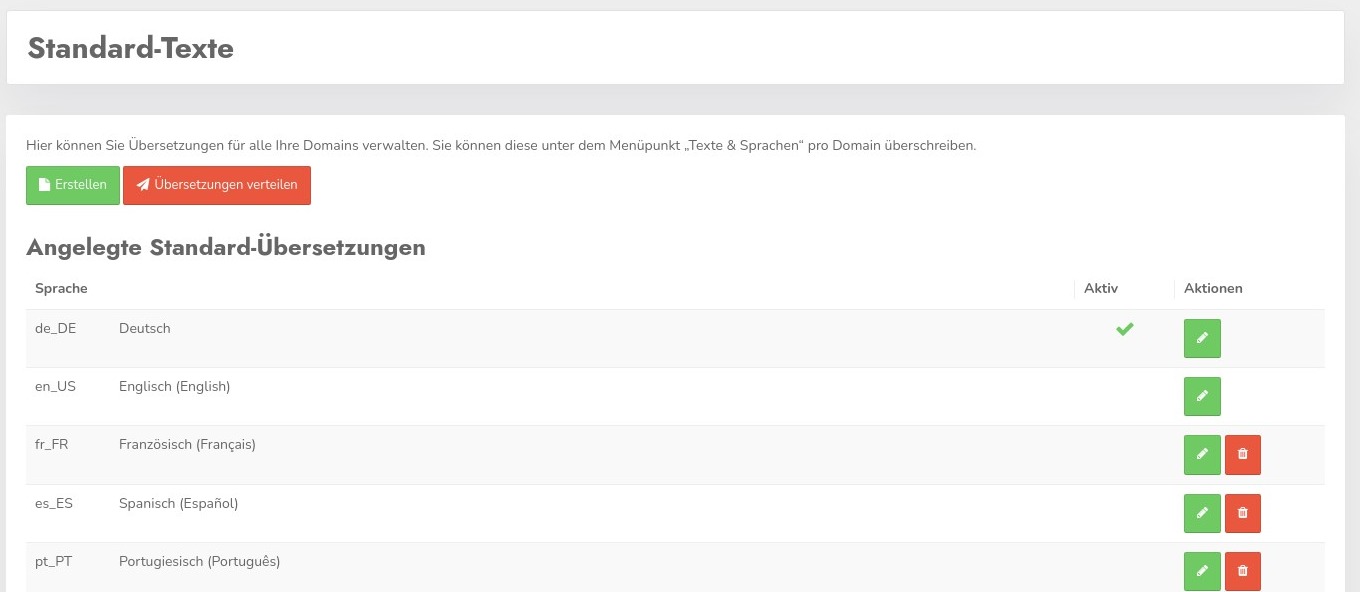
Click "Create" to create text for a language that is not listed.
Similar to themes, the updated data can be deployed to all domains in use by clicking the "Distribute Translations" button.
Clicking the pencil-icon takes you to the editing screen.
Edit Entries
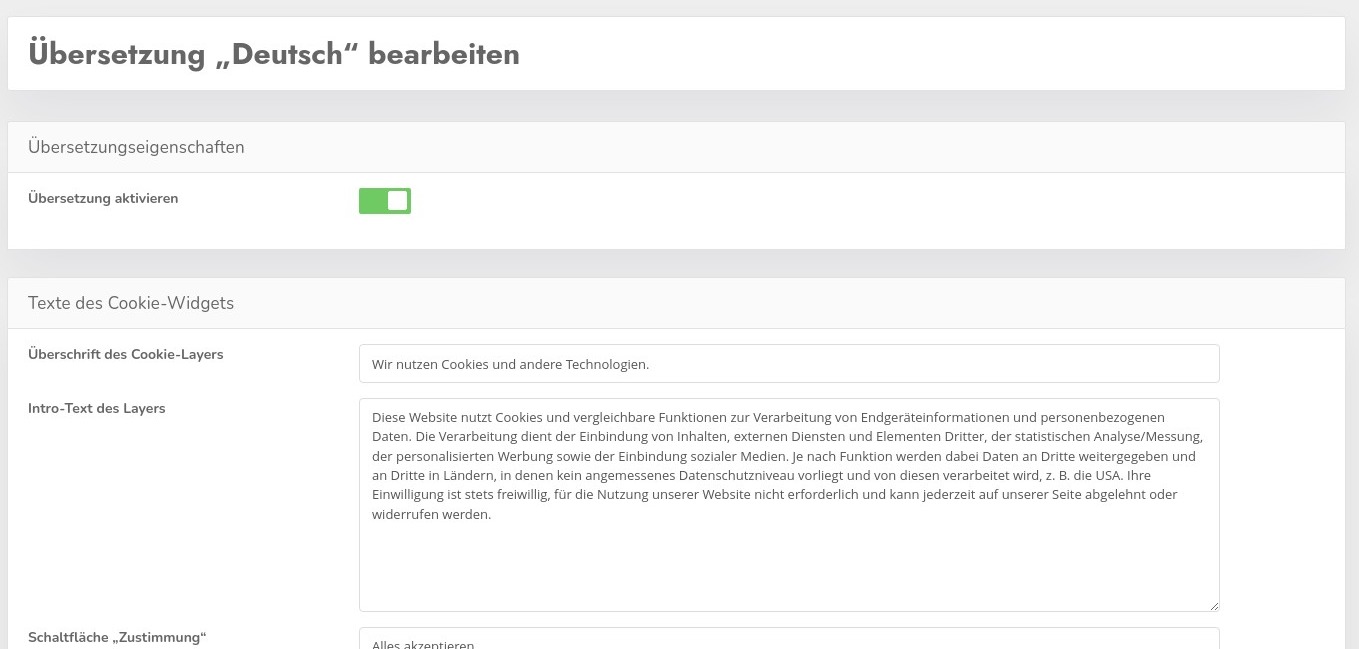
Here you can edit the entries as needed. Checking the “Enable Translation” box activates the language for use with the modified texts. If the box is not checked, the default texts for the corresponding language will continue to be used.