Cookie-Explanation-Table
This feature allows you to define the embedding of a Cookie-Explanation-table within your content. You can embed this table anywhere on your site. We recommend placing it in the Cookie-section of your privacy policy page.
Integration
Use the following code in your privacy policy or a similar page at the location where the list of all configured embeddings and cookies should appear. The placeholder will be populated with the cookie-and the list of explanations-as soon as CCM19 has loaded. The display language is automatically determined by the visitor’s browser.
<div class="ccm-cookie-declaration">Please enable JavaScript to view the list of all declared cookies and similar technologies.</div>
Use the following code if you want to display the table in a specific language. (Replace de_DE with any language code configured and enabled under Texts & Languages):
<div class="ccm<nt>-</nt>cookie<nt>-</nt>declaration" data-lang="de_DE">Please enable JavaScript to view the list of all declared cookies and similar technologies.</div>
The list uses the styling of the surrounding website. You can customize it by modifying the CSS-stylesheets of your website or via custom CSS in the “Theme” menu item.
Alternatively, you can also embed the table as a link to display it in a modal dialog. To do this, use the following HTML-link:
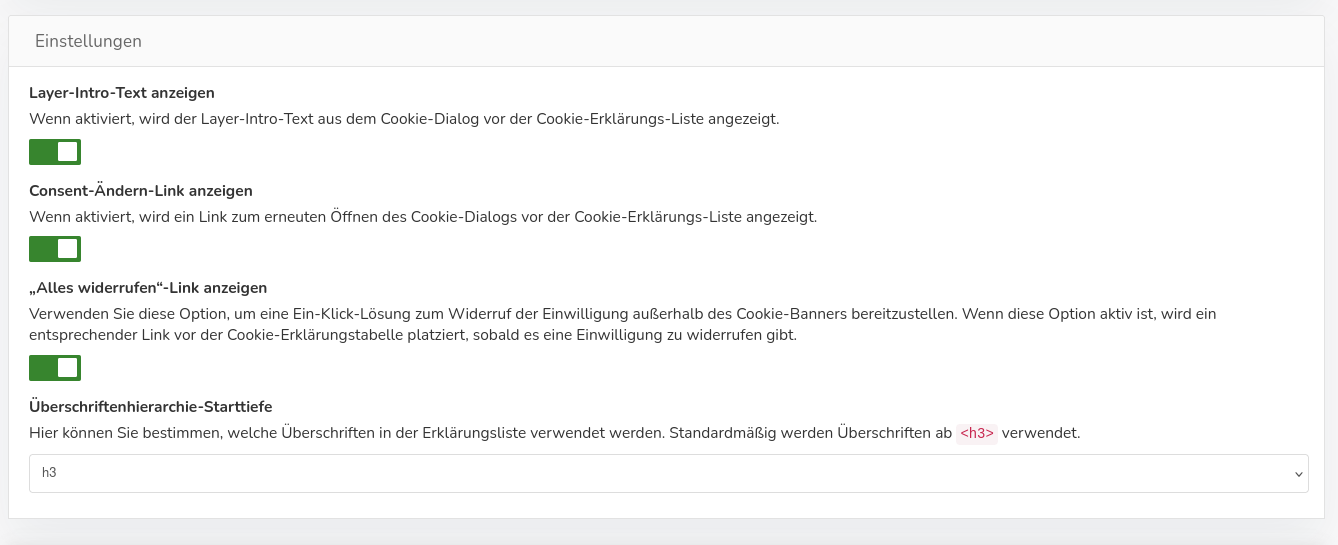
Settings for the cookie-table
Here you can specify whether the text from the banner should also be displayed before the cookie-table. You can also optionally display the links "Change Consent-" and "Revoke All."
Using the "Heading Hierarchy-Start Depth" function, you can specify which HTML-heading the table should start with at the top level.